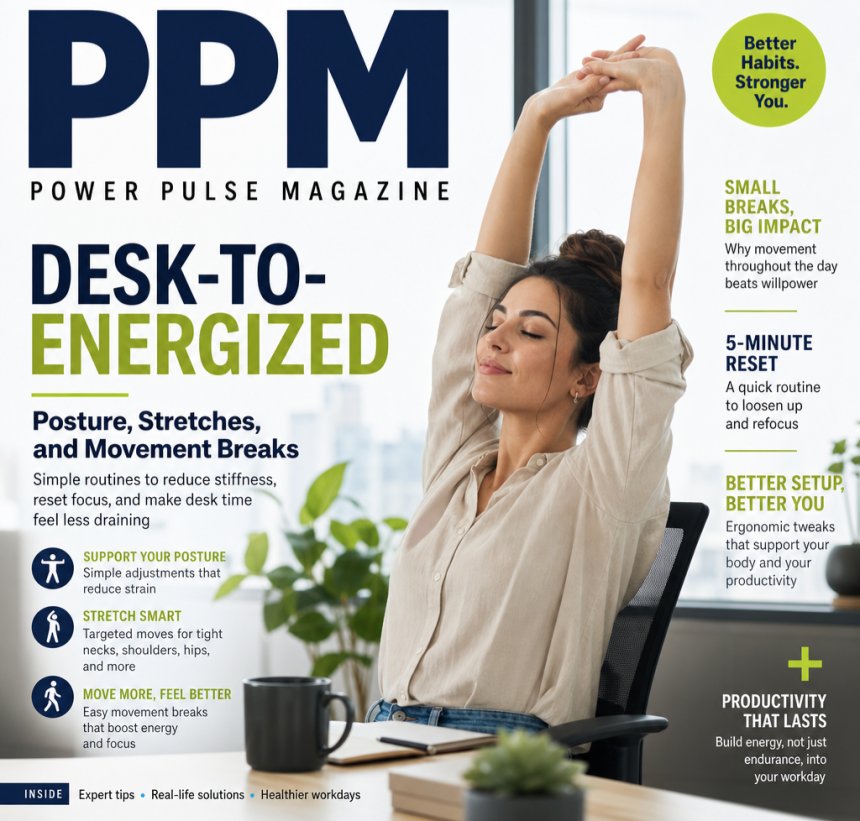
Desk-to-energized: Posture, Stretches and Movement Breaks
Category: Workplace Wellness
Desk-to-Energized: Posture, Stretches, and Movement Breaks
Simple routines to reduce stiffness, reset focus, and make desk time feel less draining
Writer: PPM Editorial Team
Long hours at a desk can do more than make you feel tired. They can leave your neck tight, your back stiff, your hips glued in place, and your energy lower than it was an hour ago. Many people assume the problem is “bad posture,” but the real issue is usually more complicated than that.
The body is built to move. When it stays still for too long, tissues stiffen, muscles get less variety of load, and the brain starts to feel the strain too. The good news: you do not need a full workout to feel better. A few intentional posture resets, stretches, and movement breaks can make a noticeable difference during the workday.
Why desk work drains energy
Sitting for long periods is linked with more physical discomfort, especially in the neck, shoulders, back, and hips. It can also contribute to that heavy, foggy feeling that shows up mid-afternoon.
What is happening is not always dramatic. Often it is a mix of:
- reduced movement variety
- sustained muscle tension
- shortened hip flexors and chest muscles
- screen-related head and neck strain
- mental fatigue from long focus periods
What you may not know:
The problem is often not sitting itself, but sitting without changing positions for too long. Your body does better with variety than with one “perfect” posture held all day.
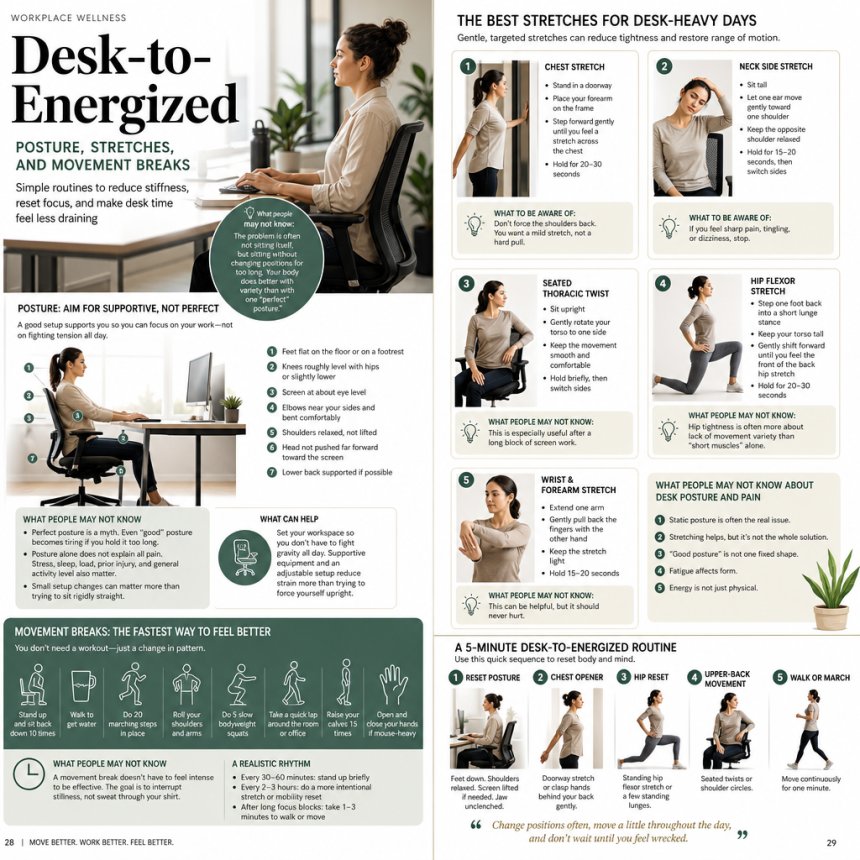
Posture: aim for supportive, not perfect
A lot of posture advice makes it sound like there is one ideal position you must hold at all times. That is not realistic — and it is not the best goal.
A more useful posture target
Try to build a setup that is:
- supported
- relaxed
- adjustable
- easy to change
Quick desk posture checklist
- Feet flat on the floor or on a footrest
- Knees roughly level with hips or slightly lower
- Screen at about eye level
- Elbows near your sides and bent comfortably
- Shoulders relaxed, not lifted
- Head not pushed far forward toward the screen
- Lower back supported if possible
What people may not know
- Perfect posture is a myth. Even “good” posture becomes tiring if you hold it too long.
- Posture alone does not explain all pain. Stress, sleep, load, prior injury, and general activity level also matter.
- Small setup changes can matter more than trying to sit rigidly straight.
What can help
Set your workspace so you do not have to fight gravity all day. A chair, monitor, and keyboard arrangement that reduces strain is more useful than forcing yourself upright.
The best stretches for desk-heavy days
Stretching can help reduce the sense of tightness and restore a little range of motion, especially after sitting in one position for a while. It is most useful when it is gentle and targeted.
1. Chest stretch
Helps with: rounded shoulders, upper-body tightness
How to do it:
- Stand in a doorway
- Place your forearm on the frame
- Step forward gently until you feel a stretch across the chest
- Hold for 20–30 seconds
What to be aware of:
Do not force the shoulders back. You want a mild stretch, not a hard pull.
2. Neck side stretch
Helps with: tension from screen work
How to do it:
- Sit tall
- Let one ear move gently toward one shoulder
- Keep the opposite shoulder relaxed
- Hold for 15–20 seconds, then switch sides
What to be aware of:
If you feel sharp pain, tingling, or dizziness, stop.
3. Seated thoracic twist
Helps with: upper-back stiffness
How to do it:
- Sit upright
- Gently rotate your torso to one side
- Keep the movement smooth and comfortable
- Hold briefly, then switch sides
This is especially useful after a long block of screen work.
4. Hip flexor stretch
Helps with: tight hips from sitting
How to do it:
- Step one foot back into a short lunge stance
- Keep your torso tall
- Gently shift forward until you feel the front of the back hip stretch
- Hold for 20–30 seconds
What people may not know:
Hip tightness is often more about lack of movement variety than “short muscles” alone.
5. Wrist and forearm stretch
Helps with: typing and mouse fatigue
How to do it:
- Extend one arm
- Gently pull back the fingers with the other hand
- Keep the stretch light
- Hold 15–20 seconds
This can be helpful, but it should never hurt.
Movement breaks: the fastest way to feel better
If stretching is about opening things up, movement breaks are about changing the pattern. That change can be powerful.
Research on breaking up sedentary time suggests that even brief activity breaks can help with physical discomfort and may improve alertness. You do not need a full gym session. A minute or two of movement often beats staying frozen in place.
Easy movement break ideas
- stand up and sit back down 10 times
- walk to get water
- do 20 marching steps in place
- roll your shoulders and arms
- do 5 slow bodyweight squats
- take a quick lap around the room or office
- raise your calves 15 times
- open and close your hands if your work is mouse-heavy
What you may not know
A movement break does not have to feel intense to be effective. The goal is to interrupt stillness, not sweat through your shirt.
What helps most: the “movement snack” approach
Instead of waiting until you are sore, try tiny movement breaks throughout the day.
A realistic workday rhythm
- Every 30–60 minutes: stand up briefly
- Every 2–3 hours: do a more intentional stretch or mobility reset
- After long focus blocks: take 1–3 minutes to walk or move
There is no single perfect schedule for everyone, but frequent short breaks are often easier to maintain than one long reset at the end of the day.
What can help
Use reminders you will actually notice:
- a calendar alert
- a water refill cue
- standing up after every meeting
- a timer set for 45 minutes
- a habit tied to email checks or task changes
A 5-minute desk-to-energized routine
If you want a quick routine, use this one:
Minute 1: Reset posture
- Feet down
- Shoulders relaxed
- Screen lifted if needed
- Jaw unclenched
Minute 2: Chest opener
- Doorway stretch or clasp hands behind your back gently
Minute 3: Hip reset
- Standing hip flexor stretch or a few standing lunges
Minute 4: Upper-back movement
- Seated twists or shoulder circles
Minute 5: Walk or march
- Move continuously for one minute
This short sequence can help reduce stiffness and give your brain a cleaner transition back to work.
What people may not know about desk posture and pain
Here are a few useful facts:
1. Static posture is often the real issue
Holding the same position for too long is usually more stressful than sitting itself.
2. Stretching helps, but it is not the whole solution
Stretching can reduce stiffness, but strength, movement variety, and workspace setup matter too.
3. “Good posture” is not one fixed shape
A healthy posture is one you can change, not one you can freeze.
4. Fatigue affects form
As the day goes on, people naturally slump, crane their neck forward, or brace in their shoulders.
5. Energy is not just physical
Mental fatigue, poor sleep, dehydration, and stress can all make desk work feel harder.
Common mistakes to avoid
Forcing yourself to sit straight all day
This often creates more tension instead of less.
Stretching too aggressively
A gentle stretch is usually enough. Pain is not the goal.
Ignoring early discomfort
Small aches are easier to address than persistent pain.
Using movement breaks only when already stiff
Prevention works better than rescue.
Assuming one ergonomic fix will solve everything
Even the best chair cannot replace movement.
When to get checked
If you have:
- persistent pain
- numbness or tingling
- weakness
- pain that worsens over time
- pain that wakes you up
- symptoms after an injury
…it is smart to speak with a healthcare professional or physical therapist.
What can help most long-term
The most effective desk wellness strategy is usually a combination of:
- a better workstation setup
- regular movement breaks
- targeted stretching
- basic strengthening outside work
- enough sleep and recovery
- less all-day stillness
In other words: change positions often, move a little throughout the day, and do not wait until you feel wrecked.
PPM Takeaway
Desk work does not have to leave you stiff and drained. Better posture support, a few simple stretches, and short movement breaks can help reset both body and mind during the workday. The key is not perfect form — it is consistent variety.
PPM Disclaimer
AI-assisted research may support the editorial process at Power Pulse Magazine (PPM). All content is reviewed, fact-checked, and edited by a human editor before publication. Creative direction, editorial oversight, and final publication decisions are made by PPM. This article is for general informational and educational purposes only and is not intended as medical advice, diagnosis, or treatment. If you have ongoing pain, numbness, tingling, weakness, or other concerning symptoms, please consult a qualified healthcare professional.
Share
What's Your Reaction?
 Like
1
Like
1
 Dislike
0
Dislike
0
 Love
0
Love
0
 Funny
0
Funny
0
 Angry
0
Angry
0
 Sad
0
Sad
0
 Wow
1
Wow
1